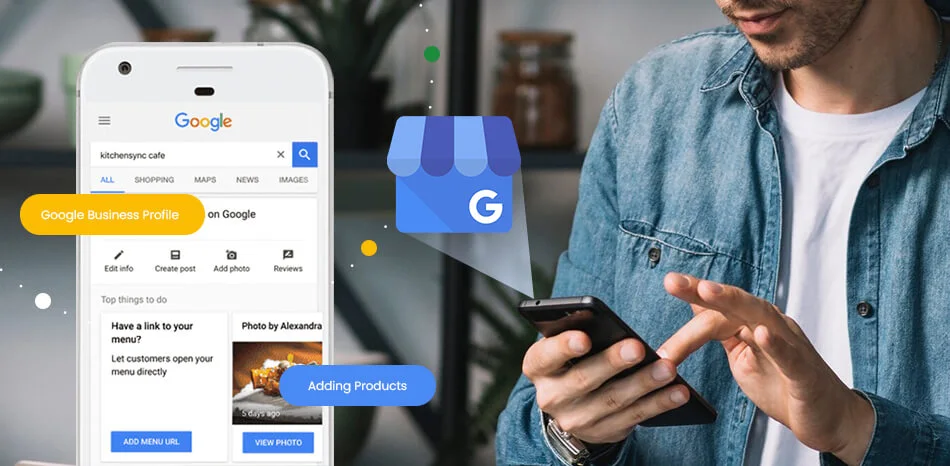
When someone in Lagos searches "plumber near me" or "amala spot in Yaba", the first thing they see is not a website. It is the map, with three businesses beside it. That map listing is a Google Business Profile, it is completely free, and for many Nigerian businesses it produces more calls than their website does.
This guide walks you through setting yours up properly, from claiming it to verification to the details most businesses get wrong. It is written for Nigeria specifically, including what to do if you run your business without a physical shop or office.
Step 1: Claim or Create Your Profile
Search Google for your exact business name. If a listing already exists, do not create a second one; claim the existing listing using the "Own this business?" option. Duplicate listings confuse Google and split your reviews. If nothing exists, go to the Google Business Profile site and create one with the Google account you use for business, not a personal account someone else might control later.
If you inherit an old listing with details you do not recognise, check who has access to it in the profile settings and remove anyone you do not know before changing anything else.
Step 2: Get the Name Right (and Resist Temptation)
Your business name on the profile must be your real business name. Not "Bola Ventures Best Cheap Catering Lagos Island". Stuffing keywords into the name is against Google's rules and is one of the most common reasons Nigerian profiles get suspended. The name field is for your name; the rest of the profile does the ranking work.
Step 3: Choose Categories Carefully
Your primary category is one of the strongest ranking signals on the entire profile, so choose the most specific one that fits. A restaurant should be "Nigerian restaurant" rather than just "Restaurant" if that option exists. You can add several additional categories for other services you genuinely offer. Do not add categories for things you do not do; it dilutes the profile and confuses Google.
Step 4: Address, or No Address
This trips up many Nigerian businesses, so read this part twice.
If customers visit your premises, a shop, a restaurant, an office, add your full address so you appear on the map at that location.
If you serve customers at their location, or run your business online or from home, you do not need an address at all. Clear the address field, tell Google you do not serve customers at your location, and set service areas instead, for example Lagos, Ikeja, Lekki, and anywhere else you genuinely serve. This is called a service-area business, it is fully supported, and it still ranks in local searches. Never enter a fake address or a relative's house; inaccurate addresses get profiles suspended and destroy trust when customers show up.
Step 5: Phone, Website, Hours
Use a phone number you actually answer, ideally the same number shown on your website. WhatsApp numbers work well for Nigerian businesses. Add your website if you have one. Set honest opening hours, only the hours you genuinely respond, because nothing earns a one-star review faster than "they never picked up" during your stated hours.
Step 6: Verification
Google needs to confirm your business is real before the profile goes public. Depending on your business type, verification may be by phone, email, video recording, or occasionally postcard. Video verification is increasingly the standard in Nigeria, especially for businesses without premises. If asked for a video, prepare before recording: your CAC certificate if registered, proof you operate the business such as logging into your business email or showing your website, and your workspace or tools. Record in one continuous take and show documents clearly.
If verification fails the first time, do not panic and do not create a new listing. Request a review and provide better evidence. Registered businesses with a live website that matches the profile details usually get through.
Step 7: Complete Every Field Like It Is Marketing, Because It Is
The description field gives you 750 characters to say what you do, where you do it, and why someone should choose you, in natural plain language. Add your services individually with short descriptions. Upload real photos: your work, your products, your team. Profiles with real photos get dramatically more engagement than empty ones, and stock photos convince nobody. Keep adding photos monthly; it signals an active business.
Step 8: Reviews, the Engine That Never Stops
Reviews decide local rankings and customer trust more than any other single thing you control. Build a simple routine: after every satisfied customer, send a WhatsApp message thanking them and asking for a short Google review with the direct link included. Your profile dashboard gives you a shareable review link once verified.
Three rules. Never pay or offer discounts for reviews. Never buy fake reviews; Google detects and removes them and can suspend the profile. And reply to every review you receive, including bad ones, politely and factually, because your replies are public and future customers read them.
Step 9: Keep the Profile Alive
A profile is not a set-and-forget listing. Post a short update weekly, a photo of recent work, a tip, an offer, with a call to action. Answer questions people ask on the profile, and seed the common ones yourself with clear answers; asking and answering your own frequently asked questions is allowed and sensible. Google visibly favours active profiles, and customers trust them more.
The Honest Summary
Setting a profile up properly takes an afternoon. Keeping it ranked, active and generating enquiries takes consistency every month, which is exactly where most businesses fall off. If you would rather have it done and maintained professionally, Google Business Profile optimisation is included in our SEO retainers, not sold as an extra, because for local Nigerian businesses it is not optional.
Get a free review of your Google presence on WhatsApp
We will tell you what is working, what is not, and what to fix first.
Message Us on WhatsApp →